
Devices: Overview of gadgets used in digital marketing

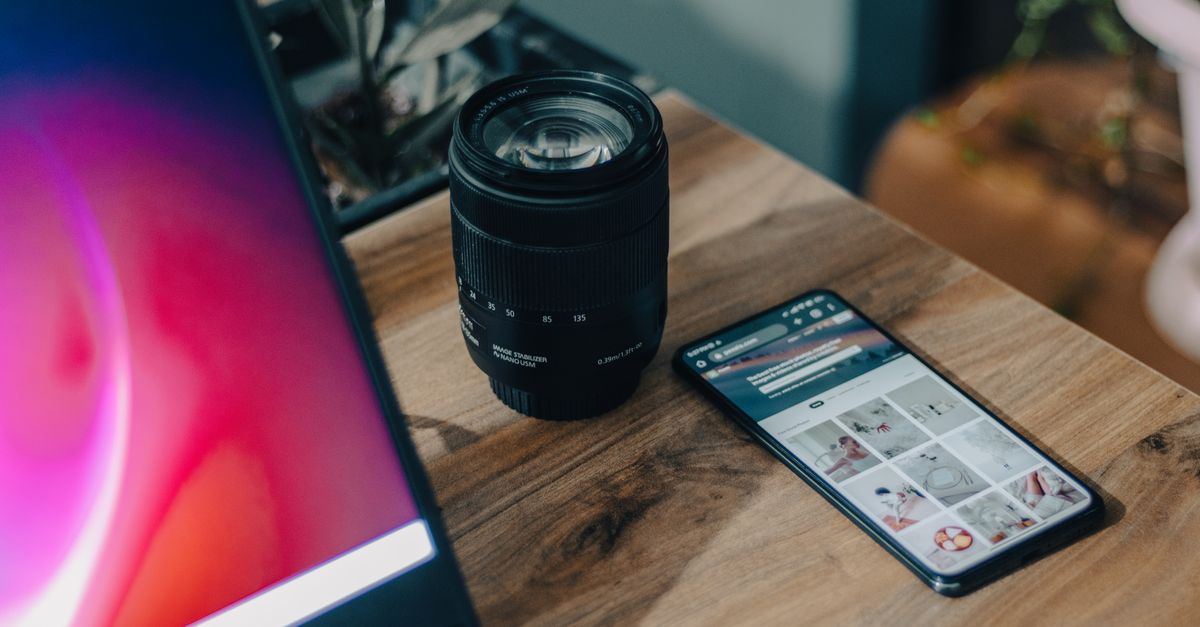
A camera lens beside a smartphone on a wooden desk, showcasing modern technology.

Devices refer to physical hardware used to access digital content and interact with online services, including smartphones, tablets, computers, wearables, and smart TVs. These tools serve as the primary interface between users and digital platforms, playing a crucial role in shaping user experiences and influencing content consumption. The diversity of available devices has created a multi-channel digital landscape where each offers distinct functionalities and user behaviors.

Marketers and developers must account for device variety when designing websites, applications, and digital campaigns. Optimizing content for different screen sizes, resolutions, and operating systems is essential for delivering seamless user experiences. Responsive design, adaptive interfaces, and mobile-first strategies have become standard practices to accommodate the wide range of devices in use.

As technology evolves, devices grow increasingly important in shaping digital interactions. With advancements in Internet of Things (IoT) and wearable technology, businesses must remain agile in adapting their digital strategies to new device forms and usage patterns. Ultimately, understanding device trends is key to delivering engaging, accessible, and effective digital experiences across all platforms.

Overview of Devices in Digital Marketing

Take a concrete case: a local cafe in Cork decides to modernise its marketing activities. They set up 7,200 monthly sessions on their website, driven by targeted ads and social media content. These interactions are tracked and analysed using a combination of devices including desktop computers, smartphones, and tablets. Each device plays a role: desktops are vital for detailed content creation and analytics, smartphones help with real-time posting, and tablets are often used for team presentations and client meetings.

As digital marketing becomes more integrated, wearable tech like smartwatches and voice-activated assistants are also starting to feature. These gadgets support quick communication with audiences and provide novel ways to gather data, such as voice search trends. However, marketers should consider device compatibility and data privacy regulations. New devices can introduce security challenges and need continual updates to function as part of a smooth marketing workflow.

  • Desktops and laptops for campaign management and analytics work
  • Smartphones for content creation, social media, and direct response
  • Tablets for portable presentations, creative work, and customer demos
  • Wearables, expanding for notifications and quick social engagement
  • Voice assistants, enabling emerging search and advertising opportunities
  • Testing devices to ensure campaigns display correctly across platforms

Impact of Device Diversity on User Experience

Look at the numbers: with a monthly average of 7,200 sessions (based on our formula), consider how people arrive via desktops, tablets, phones, and smart TVs. In one scenario, perhaps 4,000 users access your site on mobile, 2,100 on desktop, and the remaining 1,100 on other gadgets. If your site and ads are only designed for desktop viewing, you could be frustrating over half your visitors. Slow load times and clunky navigation on mobiles lead directly to lost conversions and negative brand perception.

Device diversity also introduces varying screen resolutions, input methods (touch, voice, mouse), and operating systems. Marketers risk alienating segments by overlooking these distinctions. For instance, a beautifully crafted desktop email campaign might render poorly on popular handsets, causing the recipient to abandon the message before reading. To reduce this risk, regularly test your content across a mix of devices, using analytics to identify the most common access points.

  • Tailor layouts for different screen sizes, not just for mobile and desktop
  • Avoid heavy image files that delay loading on weaker connections
  • Make sure interactive elements work for touch and mouse users alike
  • Prioritise readable font sizes and clear calls to action across devices
  • Use analytics to review device breakdown and optimise accordingly

Best Practices for Device Optimisation

Consistent performance across mobile phones, tablets, and desktop devices remains crucial for effective digital marketing. Responsive website design is a must, ensuring layouts, fonts, and interactive elements automatically adjust to different screen sizes. Images should be optimised for quick loading on slower mobile networks, and clickable zones must be large enough for touch navigation. Always test your campaigns and landing pages on actual smartphones and tablets, as simulators can miss glitches real devices catch.

When reviewing analytics, segment engagement data by device categories. Suppose an ecommerce site attracts about 8,400 sessions per month from various devices. If tablets make up only 800 visits yet yield a higher average order size than mobiles, prioritising checkout improvements for tablet users could boost revenue. Failure to tailor just one step of the buying process to device behaviours risks losing conversions.

  • Use adaptive images and scalable fonts for clear visuals across screens
  • Prioritise mobile-first loading speed for users on the go
  • Test email templates and CTAs for display quality on different devices
  • Analyse conversion paths separately for desktop, tablet, and mobile
  • Set up device-specific tracking to spot issues early
  • Tailor messaging and offers based on common device usage patterns

Run the maths on this: an ecommerce start-up experimenting with a wearable integration campaign expects new devices to push monthly user sessions up to 12,000. Over the next six months, that’s around 72,000 potential touchpoints created solely by one innovative channel. Marketers leveraging voice assistants, AR headsets, and smart in-store displays are doing more than following a fad—they’re inviting customer interactions at every stage of the buyer journey.

These advancements mean real-time, hyper-personalised campaigns are easier to deliver. Devices equipped with location and biometric sensors, for example, enable brands to present content tailored to users’ immediate context. However, rapid evolution also brings challenges. Privacy regulations, fragmented user journeys, and a high pace of hardware obsolescence all raise the stakes and the complexity of campaign design.

  • Wearables and biometric devices enable health and activity-driven offers
  • AR and VR gadgets unlock virtual try-ons and immersive brand experiences
  • Smart speakers and IoT devices increase the value of voice search and home automation
  • In-store digital screens and sensors provide instant, data-rich promotions
  • Device fragmentation requires more diversified creative and messaging strategies
  • Marketing teams need adaptability to stay relevant amid rapid hardware updates
  • Data privacy compliance grows more complex with constant device connectivity

Frequently Asked Questions About Devices in Digital Marketing

Here is a simple example: imagine an online florist catering to around 5,400 mobile sessions each month. Their site is mobile-optimised and loads within two seconds. This leads to noticeably higher engagement compared to their previous desktop-focused version. The quicker load time and better navigation on mobiles result in a lower bounce rate and increased conversion rates, demonstrating the importance of adapting the user experience to the devices audiences actually use.

When optimising your digital content for devices, common pitfalls include neglecting to test across multiple models or operating systems. A page that appears perfect on a recent smartphone might look broken on a slightly older tablet. It’s also important to remember that user journeys often span several devices, so ensure that any campaigns or remarketing are set up for cross-device recognition and attribution.

  • Test landing pages on a range of phones and tablets, not just your own
  • Adjust image sizes and scripts to support faster mobile page loads
  • Track conversion paths for users who switch between desktop and mobile
  • Prioritise accessibility as device screens and needs vary greatly
  • Check analytics reports monthly for unexpected drops on specific devices
  • Investigate if pop-ups or overlays block navigation on smaller screens
👉 See the definition in Polish: Devices: Urządzenia użytkowników

Related terms

Browse all terms in our Digital Marketing Glossary

Leave a comment