
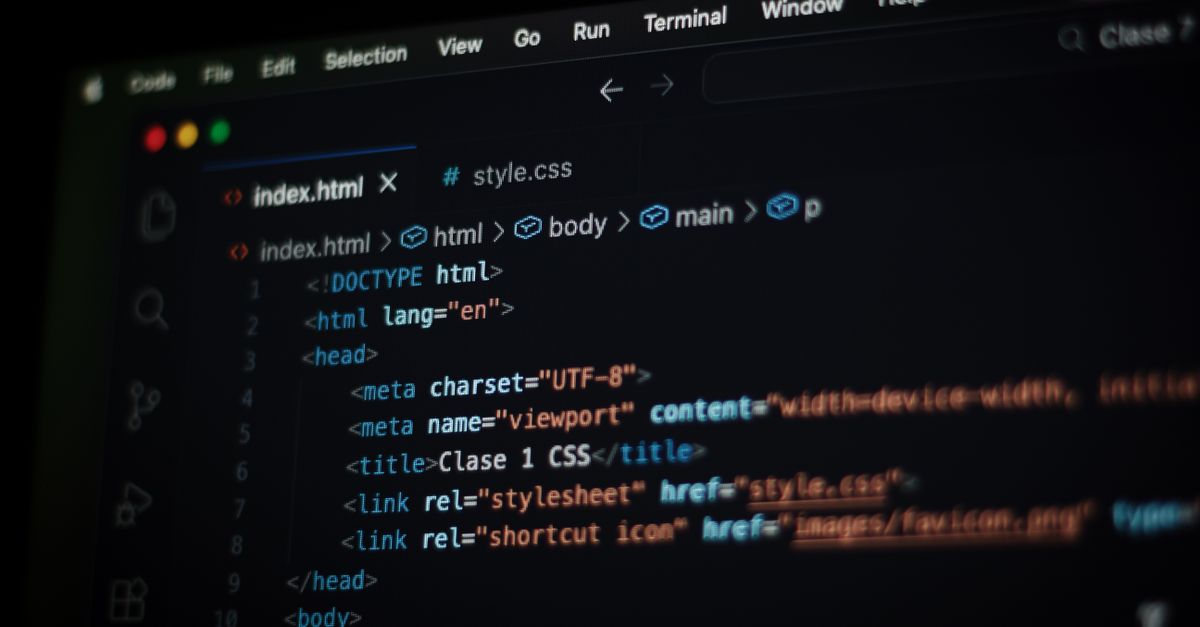
A page title is a crucial on-page element that summarizes a webpage’s content and appears in search engine results, browser tabs, and social media previews. Defined within the HTML <title> tag, it serves as one of the primary signals search engines use to assess a page’s context and relevance. An effective title not only informs users about the content but also plays a key role in attracting clicks and driving traffic.
Creating an engaging page title requires balancing clarity, conciseness, and keyword optimization. Marketers and content creators aim to craft titles that are both descriptive and compelling, capturing potential visitors’ attention while accurately reflecting the content’s purpose. A well-optimized title can significantly improve a page’s click-through rate (CTR) by aligning with user search intent.
Additionally, the page title contributes to a website’s overall branding and credibility. Consistent, well-crafted titles reinforce the site’s identity and message, building trust with users and search engines alike. As such, the page title is fundamental to on-page SEO and a vital component of broader digital marketing strategies aimed at maximizing online visibility and engagement.
Key Elements of an Effective Page Title
Take a concrete case: a business website sees 6,000 sessions per month after implementing more strategic page titles. A well-crafted page title quickly sets the expectations for both users and search engines, helping to boost your click-through rates and overall site traffic. If your title is clear, concise and directly reflects the page content, visitors are more likely to trust the listing and click through from search results.
Clarity trumps cleverness when it comes to page titles, especially for small or medium enterprises aiming to attract local customers. Stuffing a title with keywords may seem tempting but can actually harm rankings and readability. Search engines prefer natural language and titles that accurately describe the content, which also builds trust with visitors. Watch out for titles that are too long; search engines typically display only the first 55-60 characters, so anything longer may be cut off, reducing impact.
- Include the main keyword but keep the wording natural
- Reflect the actual content of the page honestly
- Aim for a length under 60 characters to avoid truncation
- Place the most important information at the start
- Use plain, relevant language for your audience
- Avoid repeating keywords or irrelevant terms
Techniques for Optimising Page Titles
Look at the numbers: a business site attracting 7,200 monthly sessions could miss hundreds of click opportunities purely due to unclear or poorly structured page titles. When search users are confronted with ten results, a clear and relevant page title can directly increase the chance of your listing being chosen. For each additional keyword included thoughtfully, you can see noticeable growth in click-through rate—sometimes by as much as 5–10%. That adds up quickly for sites with even modest traffic volumes.
Start with your most important keywords while ensuring the title remains natural and compelling to readers. Aim for a length of 50–60 characters so the full title displays in search results. Avoid keyword stuffing, which can make titles awkward and less clickable. Instead, blend brand names and main page themes, giving the user a strong sense of what to expect. Review competitor titles to identify gaps or unique selling points you can highlight in your own.
- Use primary keywords near the start for better visibility
- Keep titles between 50 and 60 characters for best display
- Make each title unique and specific to its page’s content
- Avoid repeating keywords unnecessarily within a title
- Test changes and monitor click-through improvements
- Ensure branding is present but does not overpower the core message
- Regularly update underperforming titles with fresh keyword research
Impact of Page Titles on Click-Through Rates
A page title is often the first element a user notices in search engine results. If the title is specific, relevant, and clearly matches what the user is looking for, it stands out against the less descriptive options. A title that directly addresses a searcher’s intent—using clear keywords and value signals—feels more trustworthy and compelling. In contrast, generic or vague titles are often overlooked, regardless of their position on the page.
For example, a local Irish florist with 8,400 monthly search impressions finds that an optimised title like “Same Day Flower Delivery in Dublin – Fresh Bouquets” increases click-through rates from 2% to 5%. That change drives their monthly clicks from 168 up to 420. This demonstrates the critical link between a well-chosen page title and actual visits, showing that even small changes in wording can translate to a marked lift in real traffic.
- Make each page title unique, specific, and relevant to the actual page content
- Place the most important keywords early in the title
- Highlight a clear benefit or differentiator for users searching that topic
- Keep titles concise—usually under 60 characters for optimal display
- Avoid misleading or overly salesy claims that could undermine trust
Common Mistakes in Creating Page Titles
Run the maths on this: say an online florist gets 6,000 monthly sessions. If they use the same page title for each of six core product pages, search engines may struggle to rank them distinctly. As a result, the site loses its chance to capture targeted queries, leading to wasted search impressions. Repetitive or vague titles can result in reduced click-through rates, and ambiguity can alienate users who are looking for specific solutions or products.
Stacking keywords without considering how the title reads makes pages look unprofessional. Instead of enticing users to click, these “keyword-stuffed” titles make a page appear spammy and undermine trust. Truncation is another common pitfall; titles that are too long get cut short in search results, so important messages may not get seen at all. Always focus on clarity, relevance, and length to give both users and search engines the strongest signal.
- Repeating identical page titles across different pages
- Stuffing too many keywords, making titles unnatural
- Using vague titles that lack specific information
- Creating titles longer than 60 characters, risking truncation
- Forgetting to highlight the page’s unique value or offer
- Ignoring local or branded terms that could boost relevance
Differences Between Page Titles and Meta Descriptions
Here is a simple example: a small e-commerce brand sees 6,000 monthly sessions on its key product pages. By experimenting with sharper page titles, monthly traffic grew to 7,200 sessions in two months—an increase of 1,200 per month. Most of this uplift came from higher SEO rankings. Meta descriptions, on the other hand, did not move the rankings but doubled click-through rates by clarifying offers and benefits in the snippet. This illustrates the distinct roles each element plays in attracting and engaging users.
Both page titles and meta descriptions appear in search engine results, but they serve different purposes. Page titles act as ranking signals and headline attractors for users and search engines alike. Meta descriptions summarise page content, aiming to convert impressions into actual visits. If the title or description misleads or is poorly written, it can lead to lost clicks or higher bounce rates. Always check that each is unique and relevant to maximise SEO and appeal to potential customers.
| Item | What to check | Risk or note |
|---|---|---|
| Page Title | Target keyword, concise, unique | Impacts ranking, clickable but limited space |
| Meta Description | Clear summary, call to action, relevant | Affects click-through, not a ranking factor |
| Both | No duplication, aligns with content | Inconsistency => distrust, lower CTR |
