
Version control: System to manage changes in code or documents

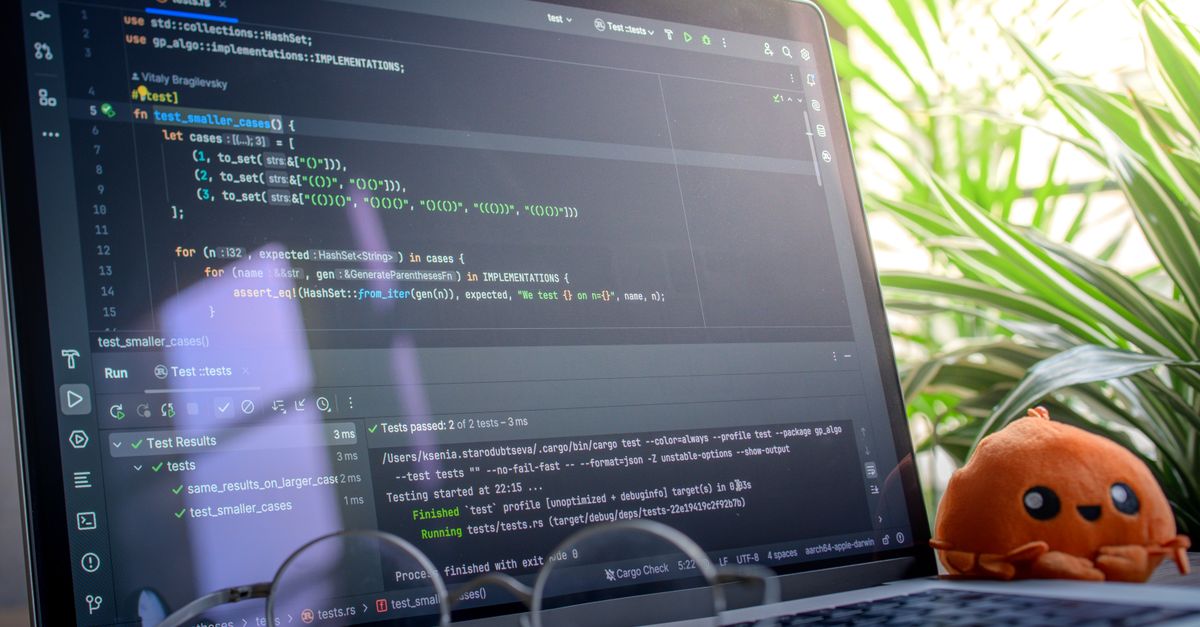
Open laptop displaying code next to a plush toy, set in a bright room with plants.

Version control is a system that tracks and manages changes to software code, documents, or other digital content over time. It enables multiple users to collaborate efficiently by maintaining a record of every modification, ensuring previous versions can be restored when necessary. This capability is particularly crucial in software development, where teams often work on different features simultaneously and need to integrate changes seamlessly. Without version control, managing large-scale projects would become chaotic, with developers potentially overwriting each other’s work or losing critical updates.

Version control systems (VCS) are generally categorized into two types: centralized and distributed. Centralized version control systems (CVCS) store all changes in a single repository, requiring direct access from users. In contrast, distributed version control systems (DVCS) allow users to maintain local copies of the entire repository, enabling offline work with later synchronization. Popular tools like Git, Mercurial, and Subversion help developers manage code efficiently, track changes, and collaborate without conflicts.

Effective version control enhances project stability, reduces risks, and streamlines workflows. It facilitates code reviews, rollback mechanisms, and branching strategies to support parallel development. By preserving a clear history of modifications, version control also provides accountability, helping teams understand the rationale behind specific changes. Beyond software development, industries like content creation and research equally rely on version control to maintain accuracy and consistency in their work.

Centralised and Distributed Version Control

Take a concrete case: a Belfast software team works on a business app with around 6,000 code updates per month. With a centralised version control system, each team member pulls code from a central server, makes their changes, and pushes them back. If the central server goes offline, the team may lose access to the code history or collaboration stalls completely. Distributed systems, by contrast, allow everyone to have their own complete copy of the project history. This means developers can work offline, then merge their changes back when ready. For a team with thousands of monthly updates, distributed version control offers added protection against data loss and enables more flexible workflows.

It’s important to assess how each approach manages collaboration and risk. Centralised systems can simplify project oversight and ensure everyone works with the latest version, but they also present a single point of failure. Distributed systems encourage more autonomous work and robust backup, yet merging conflicting changes can be complicated, especially with highly active teams. Ensuring everyone follows a clear workflow—such as regular pulls and pushes—helps maintain smooth collaboration regardless of system choice.

System TypeMain AdvantageKey Risk or Note
CentralisedSimple oversightSingle point of failure
DistributedFull backup per userMerge conflicts possible
  • Centralised systems work well for tightly controlled environments
  • Distributed systems excel for flexible, remote collaboration
  • Both require clear documentation of change processes
  • Conflict resolution strategies are crucial for distributed teams
  • Regular backups are more critical with centralised systems

Benefits for Collaborative Projects

Look at the numbers: A typical web development team with six members could handle up to 7,200 monthly code changes if each person updates the codebase 200 times. Without a version control system, keeping track of these updates manually would be impractical. By providing a shared environment, version control automates tracking and helps every team member see the most recent changes. This reduces duplication of effort and eliminates confusion about the state of different files.

One of the strongest benefits is how version control logs every change, who made it, and when. This creates a clear project history, which is invaluable if you need to troubleshoot issues that crop up days or weeks later. For collaborative projects, this record helps teams quickly trace the source of a problem and understand the rationale behind decisions. It also enables easy rollbacks to earlier project states if a mistake is discovered, saving time and preventing project delays.

Conflicts happen, especially when multiple people work on the same part of a file. Version control tools have built-in mechanisms to highlight these overlaps. Team members can then address potential conflicts before they become serious issues. Over time, this leads to smoother workflows and less friction among team members.

  • Makes collaboration smoother, even across remote teams
  • Keeps a detailed change log for auditing and reviews
  • Reduces risk of lost work by backing up every change
  • Simplifies resolving conflicting edits from different team members
  • Enables quick rollbacks to restore working versions
  • Improves accountability, showing who made each change

Practical Example of Version Control in Use

A marketing agency working on a campaign for a client might have five team members editing content, graphics and website code for a new product launch. Over one month, the team handles an average of 7,000 interactions—updates, edits and comments—across the main website and campaign landing pages. By using a version control system, each member can work on assigned files or code sections without overwriting each other’s changes.

Whenever someone finishes a task, their changes are clearly documented and merged with the main project. If an error sneaks into the website after an update—say, a broken form—the team can quickly identify when the change occurred, who made it and roll the affected files back to the working version. This avoids hours spent retracing steps or recreating lost work, and it makes compliance and approval much easier since managers can review the full edit history.

  • Enables multiple people to edit assets without clashing
  • Makes it easy to spot and reverse problematic changes
  • Maintains a detailed record of every revision and author
  • Reduces the risk of accidental data loss during collaboration
  • Streamlines approvals and compliance checking for regulated sectors

Common Pitfalls and Best Practices

Run the maths on this: imagine a small team with 9,600 document edits per month, each team member pushing changes independently. Without clear branch naming and disciplined merge processes, they quickly run into merge conflicts and duplicated work. In just one quarter, lost time in reconciling versions could add up to dozens of hours—which hits productivity and can delay key deliverables.

One common pitfall is failing to communicate before pushing or pulling changes. This can result in overwriting colleagues’ work or creating incompatible code branches. Teams also suffer from a lack of regularly updated documentation, which makes onboarding new members slower and increases the chance of repeated errors.

Consistent habits can minimise these problems. Enforce regular commits with meaningful messages, standardise branching strategies, and set review protocols. Automating tasks—like tests or formatting rules—before merges adds another layer of safety for teams who handle many simultaneous updates.

  • Agree on clear, descriptive branch naming conventions
  • Use detailed commit messages to explain every change
  • Pull updates frequently to minimise conflicts
  • Review and merge changes regularly, not sporadically
  • Set permissions so only trusted team members can modify main branches
  • Document workflows and update onboarding guides routinely
👉 See the definition in Polish: Version Control: System zarządzania wersjami plików

Related terms

Browse all terms in our Digital Marketing Glossary

Leave a comment